

Bike computers can help riders track speed, distance, route data, and training information in a compact handlebar-mounted format. The right choice depends on how you ride, how much information you want at a glance, and whether you prefer a simple ride recorder or a more feature-rich navigation tool.
This guide is for cyclists who want a clearer way to compare options without getting lost in specs. It focuses on the buying decisions that usually matter most: display readability, navigation needs, connectivity, battery expectations, and ease of use.
If you mainly want straightforward ride tracking, a simpler unit may be enough. If you follow routes, train regularly, or want deeper ride data, it helps to compare the way each model handles maps, sensors, and setup.
Compare Bike Computers


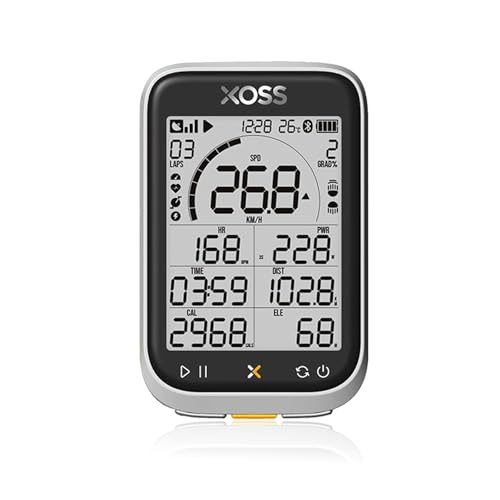
As an Amazon Associate we earn from qualifying purchases.
What should you look for in a bike computer?
The best starting point is your riding style. A basic computer can cover speed and distance for everyday rides, while more advanced options may add route guidance, sensor support, and broader training data. The main trade-off is usually simplicity versus feature depth, because more functions can mean more setup and more to learn. Specifications vary by model, so always check the individual product page before buying.
| Feature | What It Means | Why It Matters | What To Check |
|---|---|---|---|
| Display | Screen size, layout, and readability | Affects how easily you can view data while riding | Whether the screen suits your eyesight, riding position, and lighting conditions |
| Ride data | The information the unit can show or record | Determines whether it matches casual tracking or training needs | Which metrics are included and whether extras need sensors |
| Navigation | Basic direction prompts or more detailed route support | Important if you ride unfamiliar roads or planned routes | How routes are loaded, followed, and displayed |
| Connectivity | How the unit pairs with sensors, phones, or apps | Impacts setup, syncing, and data review | Supported connection methods and what accessories are compatible |
| Battery use | How long the unit may last between charges or battery changes | Matters for long rides and frequent use | Expected runtime in the mode you actually plan to use |
| Mounting and controls | How the unit attaches and how it is operated | Affects comfort, security, and ease of use on the bike | Mount style, button layout, and how easy it is to operate with gloves |
Key decision criteria
Display and readability
A bike computer should be easy to glance at while riding. Larger or more legible screens can be helpful if you want several data fields visible at once, but they can also make the unit bulkier or more complex. If you ride in mixed light, consider whether the display is described as easy to read in the conditions you expect most often.
Data needs
Some riders only want speed, distance, and time. Others want more detailed training information such as cadence, heart rate, elevation, or navigation prompts. The key question is not how much data a computer can show, but how much data you will actually use.
Navigation and route use
If you follow planned routes, navigation features can be more important than extra workout metrics. A simpler unit may be enough for familiar loops, while route-focused riders may prefer a computer that makes turn guidance and course viewing easy to follow. Check how routes are loaded and how clearly the device presents direction changes.
Connectivity and pairing
Many buyers need to think about what the computer has to connect with, such as heart rate sensors, cadence sensors, or a phone-based app. If you already use cycling apps or accessories, check compatibility carefully. A feature-rich device can still be a poor fit if it does not work smoothly with the gear you already own.
Battery expectations
Battery needs depend on how long you ride and whether you use backlighting, navigation, or wireless features often. Longer rides and route guidance usually increase the importance of runtime. For frequent riders, it is worth comparing the charging or battery routine as well as the claimed endurance.
Common bike computer types
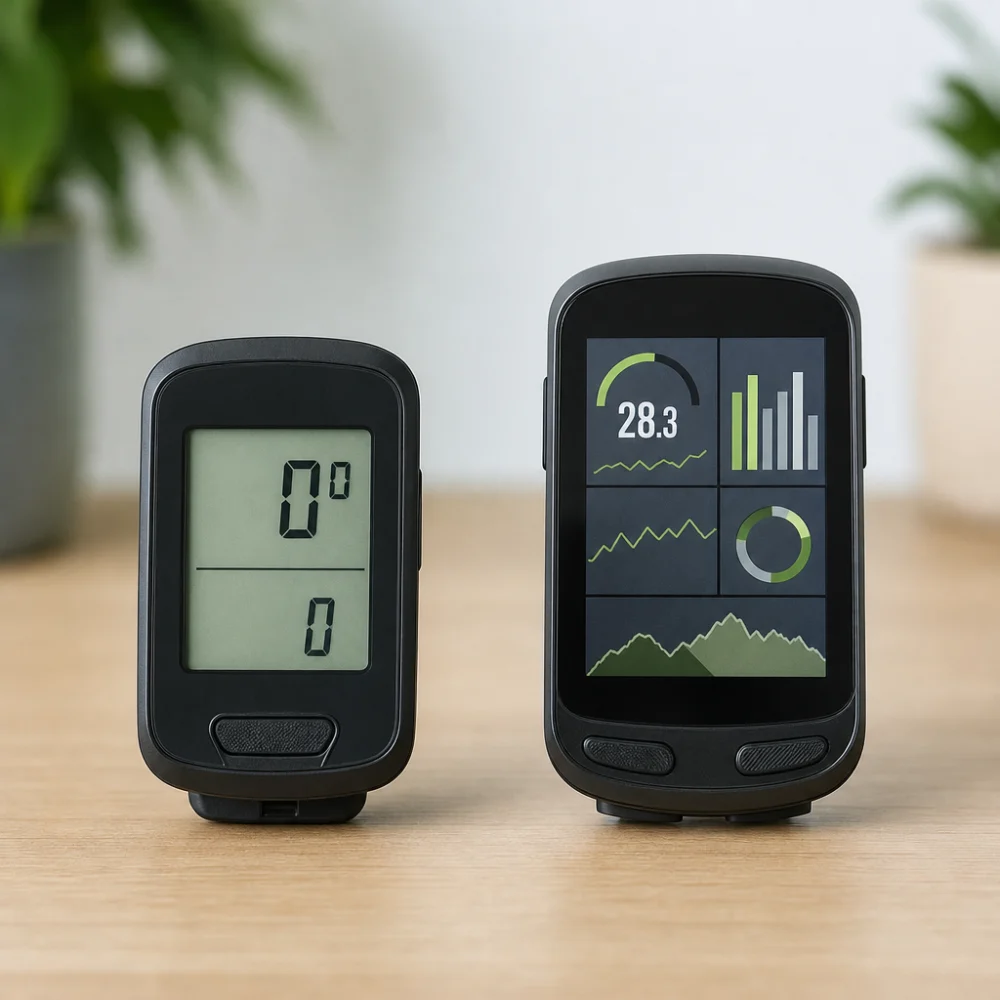
Most options fall into a few broad categories. A basic computer is usually best for straightforward ride tracking. A navigation-focused computer suits riders who want route support or more structured trip guidance. A training-oriented computer may appeal to riders who care more about performance data and sensor pairing than about simple distance recording.
Simple ride computers
These are generally the easiest to learn and may suit commuting, casual fitness, or riders who want only essential numbers. Their main limitation is that they usually offer less route support and fewer data options.
Navigation-capable computers
These are a good fit if you ride new areas or follow planned routes often. Their trade-off is that more guidance features can add complexity, and some riders may not need that level of detail.
Training-focused computers
These are aimed at riders who pay close attention to metrics and sensor data. They can be useful for structured riding, but they are not always the easiest choice if you only want a simple on-bike display.
Which bike computer suits which rider?
| Buyer need | Useful feature focus | Why it fits | Possible trade-off |
|---|---|---|---|
| Commuting | Readable display, simple ride data, dependable mounting | Fast checks and low fuss matter most | Fewer advanced features |
| Casual fitness rides | Speed, distance, time, and easy operation | Enough information without extra setup | Limited training depth |
| Route following | Navigation and clear prompts | Makes unfamiliar roads easier to manage | More setup and possible battery trade-offs |
| Structured training | Sensor compatibility and detailed metrics | Supports more precise ride analysis | Can be more complicated than a basic unit |
| Gift buying | Simple controls and broad usefulness | Reduces the risk of choosing a device that feels too technical | May not satisfy a rider who wants advanced features |
Common mistakes and misunderstandings
- Buying for features you may never use. It is easy to overestimate how much data or navigation you need. Start with the rides you actually do, not the most advanced use case.
- Ignoring readability. A feature list can look strong, but a screen that is hard to glance at is frustrating on the bike. Think about viewability first, especially if you ride in changing light.
- Overlooking accessory compatibility. If you plan to pair sensors or use a companion app, check that support carefully instead of assuming it will work with everything.
- Underestimating setup effort. Some computers are simple to use out of the box, while others take more configuration. If you want a low-hassle choice, look for straightforward controls and clear pairing steps on the product page.
Safety and suitability caveats
A bike computer should support your riding, not distract from it. Choose a layout that is easy to read and operate without taking attention away from the road or trail. If you ride off-road, in wet conditions, or for long periods, check the product information carefully for suitability details instead of assuming every model is built for the same use.
Maintenance, storage, and lifespan considerations
Most bike computers are chosen for convenience, so it helps to think about charging, mounting, and storage before you buy. If a unit is rechargeable, consider how often you will need to power it up and how easy that is to manage around your riding routine. If it uses replaceable batteries or relies on accessories, that can also affect long-term convenience. Keeping the unit clean, protected from unnecessary knocks, and stored safely when not in use can help it stay usable longer.
How to compare options efficiently
- Start with the kind of riding you do most often.
- Decide whether you need simple ride tracking, navigation, or training data.
- Check the display, mounting, and controls for everyday ease of use.
- Review compatibility with any sensors, apps, or route tools you already rely on.
- Compare battery expectations and setup complexity before narrowing your choice.
Buyer checklist
- Does the computer match your main riding style?
- Is the display easy to read at a glance?
- Do you need navigation, or only ride tracking?
- Will it work with the sensors or apps you plan to use?
- Is the setup and control style simple enough for your comfort level?
- Do the battery or charging expectations fit your ride length and frequency?
- Have you checked the individual product page for the exact supported features?
Frequently asked questions
Do I need a bike computer if I already use my phone for rides?
Not always, but a bike computer can be easier to glance at while riding and may be better suited to handlebar mounting. Phones can work well for some riders, especially for occasional route use, but they are not always as convenient for quick in-ride checks.
What is the difference between a basic and an advanced bike computer?
A basic model usually focuses on essential ride data such as speed and distance. An advanced model may add navigation, more metrics, and broader connectivity. The right choice depends on whether you want simple tracking or a more complete ride tool.
Are bike computers only for serious cyclists?
No. Many casual riders use them for convenience, tracking, or navigation. The most suitable option is the one that matches how much information you actually want to see while riding.
What should I check for if I want route guidance?
Look at how routes are loaded, how direction changes are shown, and whether the screen is easy to follow at a glance. It is also worth checking whether the computer’s route features fit the kind of riding you do most often.
Do all bike computers work with sensors?
No, and the types of supported sensors can vary by model. If sensor pairing matters to you, check the product page for the exact compatibility details rather than assuming broad support.
How important is battery life?
It matters more if you ride long distances, use navigation, or ride often between charges. For short rides, battery life may be less important than ease of use and readability.
What is the biggest mistake first-time buyers make?
Many buyers choose based on features alone and ignore how the device will feel in daily use. A computer that is simple, readable, and compatible with your setup is often more satisfying than one with extra functions you do not need.
More Bike Computers
See all 97 Bike Computers →


As an Amazon Associate we earn from qualifying purchases.